Packages
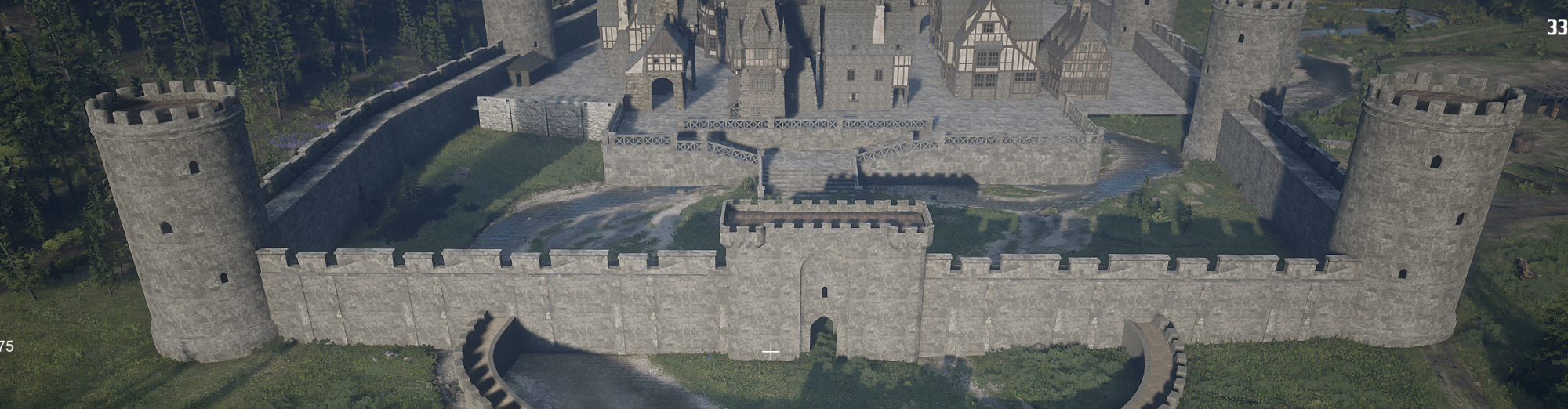
Medieval_Wallpack_Vol.1
🏰 Ultimate Handmade Modular Wall Bundle
Bring your game world to life with this highly versatile, handcrafted asset pack! This modular set includes everything you need to build fortresses, castle ruins, city walls, or hidden dungeons. Each prop has been meticulously designed with an organic, handmade aesthetic to give your project a unique, premium feel.
📦 What’s Inside the Bundle
- 🧱 Walls: A variety of wall sections (straight, damaged, with arrow slits or windows) that snap together seamlessly to create diverse barriers and fortifications.
- 🚪 Gate: A massive, imposing gate element to serve as the grand entrance to your fortresses, perfect for checkpoints or starting areas.
- 🗼 Tower: Modular tower segments that add verticality to your walls, ideal for watchpoints, sniper positions, or defensive bastions.
- 🪜 Staircase: Perfectly fitted staircases allowing characters to ascend the walls, creating dynamic vertical gameplay.
- 🪵 Floor: Textured floor tiles (cobblestone or rough stone) that tie the environment together and serve as a solid foundation for your structures.

Crown Prop Collection
👑 Royal Unisex Crown Prop Pack
Crown your characters in style! This elegant asset pack features 3 uniquely designed crowns crafted specifically as unisex headwear to fit both male and female character models. Whether you're equipping proud monarchs, dark rulers, or magical beings, these crowns deliver an instant regal presence.
📦 What’s Inside
- 👑 Crown 01 – The Sovereign: A classic, noble crown fit for kings and queens alike. Ideal for traditional royalty and grand occasions.
- 💎 Crown 02 – The Arcane / Circlet: A sleeker, more intricate design perfect for mages, elves, or high-ranking nobility.
- 🗡️ Crown 03 – The Fallen Empire: A striking, rugged crown with a darker edge—great for warlords, shadow rulers, or heavily armored champions.
✨ Key Features
- Truly Unisex Fit: Designed and proportioned to fit seamlessly onto various head shapes, rigs, and hairstyles for any gender.
- Handcrafted Details: Detailed metalwork, gemstone accents, and organic textures give each piece a distinct, high-quality look.
- Game-Ready Optimization: Clean geometry and efficient UVs ready to drag and drop straight into Unity, Unreal Engine, or your rendering software.
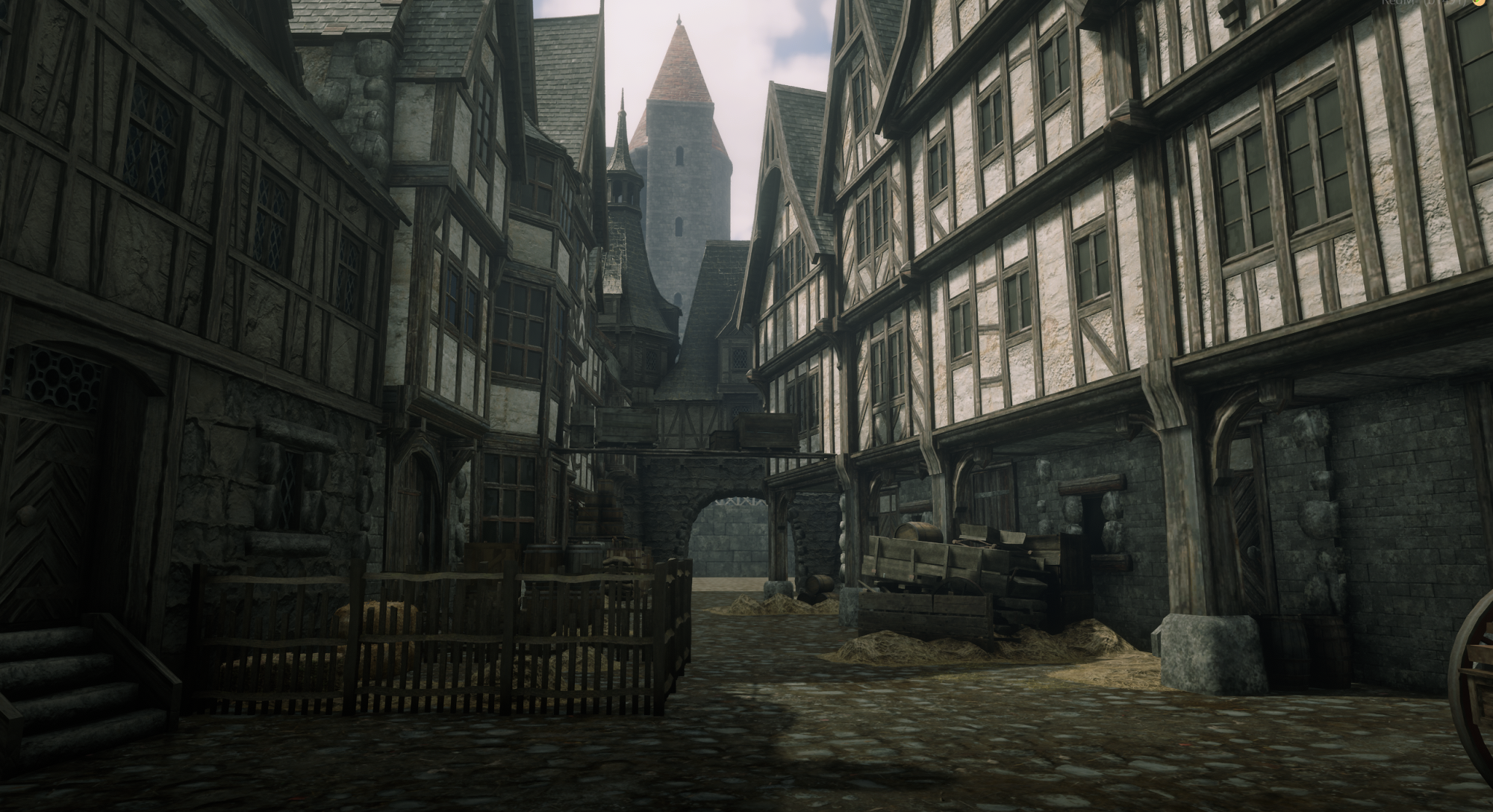
Goose Medievalhouse Pack Vol.1
🏰 Goose Medievalhouse Pack Vol.1
Transform your RedM world into an authentic medieval settlement with the Goose Medievalhouse Pack Vol.1! Whether you are building an ancient village, a bustling trading outpost, or a secluded forest hideout, this collection brings detailed craftsmanship and immersive atmosphere straight to your server.
✨ What’s Included?
- High-Quality Medieval Buildings & Props: A curated selection of custom medieval house models crafted with authentic wood, stone, and plaster textures.
-
Ready-to-Use Resource: Pre-configured
goose_medievalhouses_pt1folder withfxmanifest.luaand structuredstream/directory. - Optimized & Game-Ready: Clean geometry and LOD-friendly textures for smooth server performance.
- Full Collision Support: Built-in external collisions for clean player interaction and environment blending.
🛠️ Key Features
- 🌲 Immersive Theme: Fits seamlessly into historical, fantasy, medieval, or frontier RP settings.
- 📦 Easy Drag & Drop: Just drop into your server's
resourcesfolder, addensure goose_medievalhouses_pt1to yourserver.cfg, and you're good to go! - 🗺️ Mapping Compatible: Fully compatible with common mapping/placement tools (Object Spawners, Spooner, VORP/RSG building systems).
📋 Technical Details & Info
-
Resource Name:
goose_medievalhouses_pt1 - Game: RedM / RDR3
- Compatibility: Standalone (works with VORP, RSG, RedEM:RP, QBR, or Custom Frameworks)
- File Delivery: Instant Tebex download via Cfx.re Keymaster / direct asset package.
⚠️ Important Note / Interiors
Please Note: These houses do not have open interior walk-in layouts (no MLO interiors). They are designed as high-quality exterior/decorative props and are ideal for world decoration or for use with teleport, instance, or housing script systems (e.g. entering an interior via a door prompt/teleport marker).
💬 Need Support?
Have questions, need help setting up, or want to share feedback? Join our community / contact support for quick assistance!
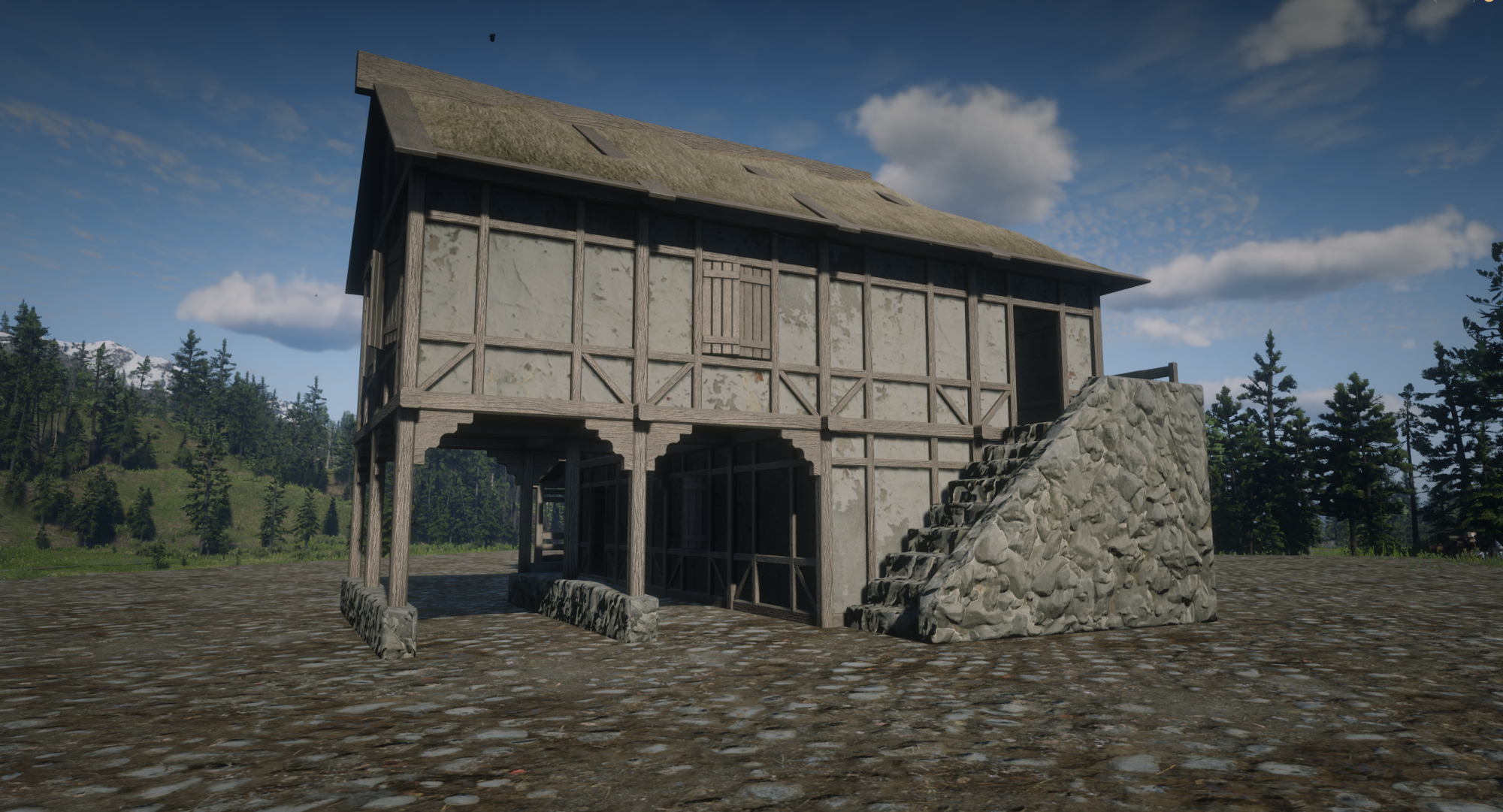
goose_peasanthouses
🏡 Goose Peasant Houses (Enterable MLO / Interior Pack)
Upgrade your server with authentic, atmospheric medieval and frontier dwellings! The Goose Peasant Houses pack brings 4 fully enterable peasant and commoner homes with detailed walk-in interiors to your RedM server. Perfect for creating immersive farming villages, secluded woodland huts, peasant quarters, or customizable player housing.
✨ What’s Inside?
- 🚪 100% Walk-In / Enterable Interiors: Fully functional interior spaces with complete floor, wall, and ceiling collisions—no teleport scripts required!
- 🪵 Authentic Craftsmanship: Detailed timber framing, rustic wood planks, stone foundations, and thatched/shingle roofing textures.
- 💡 Optimized Lighting & Shadows: Carefully configured to react naturally to daylight cycles and interior light sources (lanterns, candles, fireplaces).
- ⚡ Server Optimized: Performance-friendly polygon count and streamlined texture dictionaries for zero lag and fast streaming.
🛠️ Key Features
- 📦 Plug & Play: Ready-to-use resource folder (
goose_peasanthouses) with pre-configuredfxmanifest.lua. - 🛋️ Housing & Furnishing Ready: Completely compatible with popular housing scripts (VORP, RSG, RedEM:RP, QBR) and object spawner tools (Spooner, Object Placers) to let players furnish their own homes.
- 🌲 Versatile Placement: Ideal for medieval realms, wild west frontier settlements, peasant districts, or hidden hermit camps.
📋 Technical Information
-
Resource Name:
goose_peasanthouses - Game: RedM / RDR3
- Asset Type: Enterable Buildings
- Framework: Standalone (Works seamlessly with VORP, RSG, RedEM:RP, QBR, or Custom Frameworks)
- Delivery: Instant Tebex delivery via Cfx.re Keymaster / direct asset download.
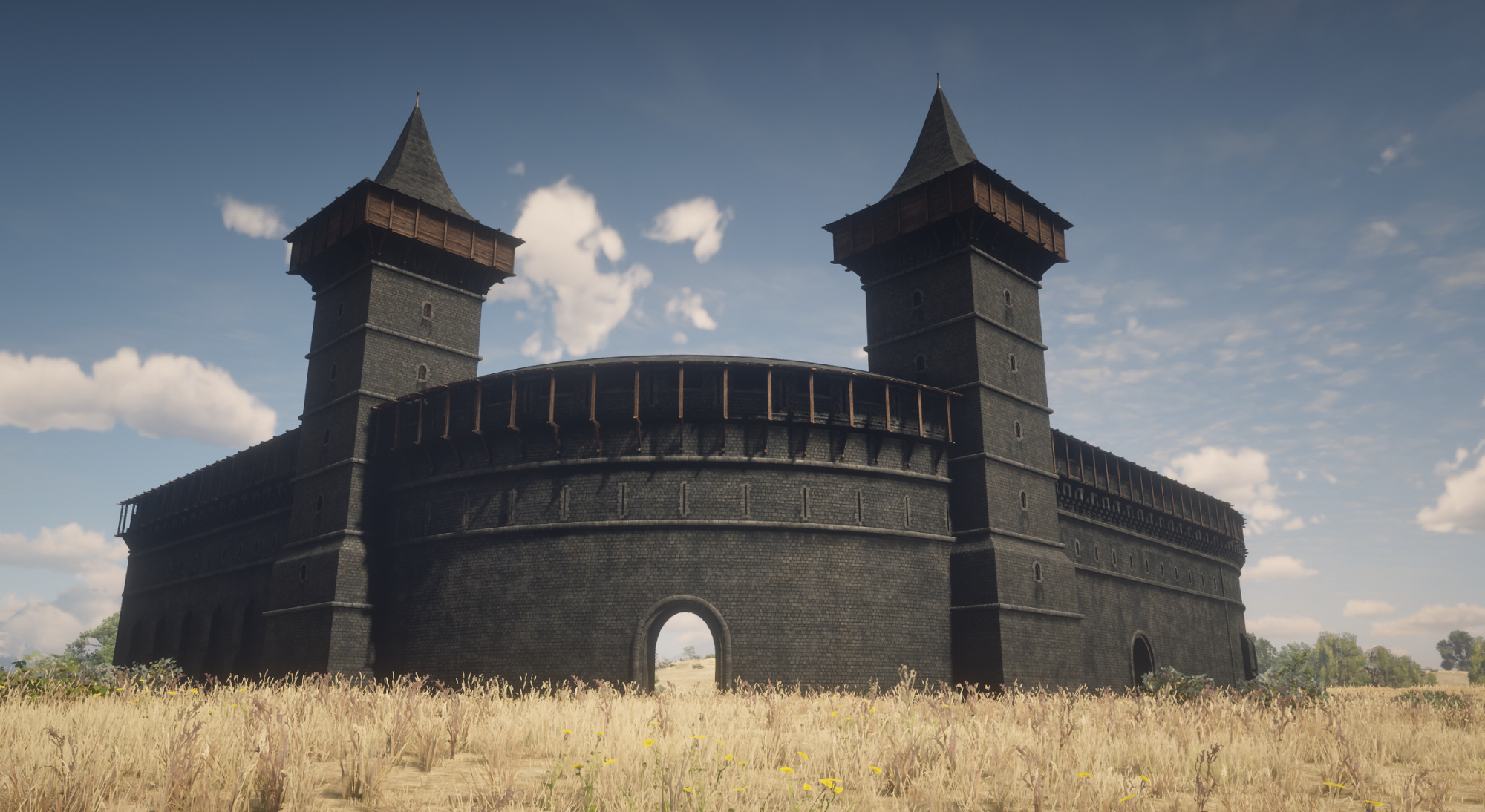
Medieval Wallpack Vol. 2
🏰 Goose Modular Wall Pack Vol. 2 Fully Walkable (Fortification & Ramparts)
Expand your defensive perimeters and fortresses with the Goose Modular Wall Pack Vol. 2! This collection delivers 7 brand-new modular assets crafted to build dynamic, seamless castle grounds, border ramparts, and fortified settlements on your RedM server.
✨ What’s Included? (7 Modular Assets)
-
🗼 Wooden-Clad Watchtower: A fortified stone tower topped with defensive wooden paneling and timber hoardings—ideal for vantage points and archer posts.
-
🧱 Straight Wall (Solid): Heavy stone wall section for solid perimeter barriers.
-
🚪 Straight Wall (Passage): Straight rampart piece featuring an arched walkthrough/gateway for patrol routes and player movement.
-
↩️ Curved Wall Variations (Solid): Curved stone wall segments designed to create round bastions, curved layouts, and organic terrain boundaries.
-
🚪 Curved Wall Variations (With Passage): Curved sections integrated with arches/passages to keep pathing flexible around corners.
🛠️ Key Features
-
100% Modular Snapping: Designed on a unified grid system so straight lines, angles, and rounded corners align seamlessly.
-
Patrol & Player Traversal: Passages allow natural foot traffic, dynamic chokepoints, and patrol paths across your settlements.
-
Optimized & Low-Impact: Efficient polycounts and clean collision meshes engineered specifically for smooth RedM server streaming.
-
Handcrafted Aesthetic: Authentic weathered stone and heavy timber textures tailored for medieval, fantasy, or frontier environments.
📋 Technical Details & Setup
-
Game: RedM / RDR3
-
Asset Count: 7 custom 3D props (Tower, Straight & Curved Walls with/without Archways)
-
Framework: Standalone (VORP, RSG, RedEM:RP, QBR, or Custom)
-
Installation: Drag and drop into your
resources/folder and addensureto yourserver.cfg. -
Placement: Fully compatible with object spawners, Spooner, and housing/building plugins.
💬 Need Support?
Join our Discord community or submit a ticket for help with object names, mapping tips, or updates!
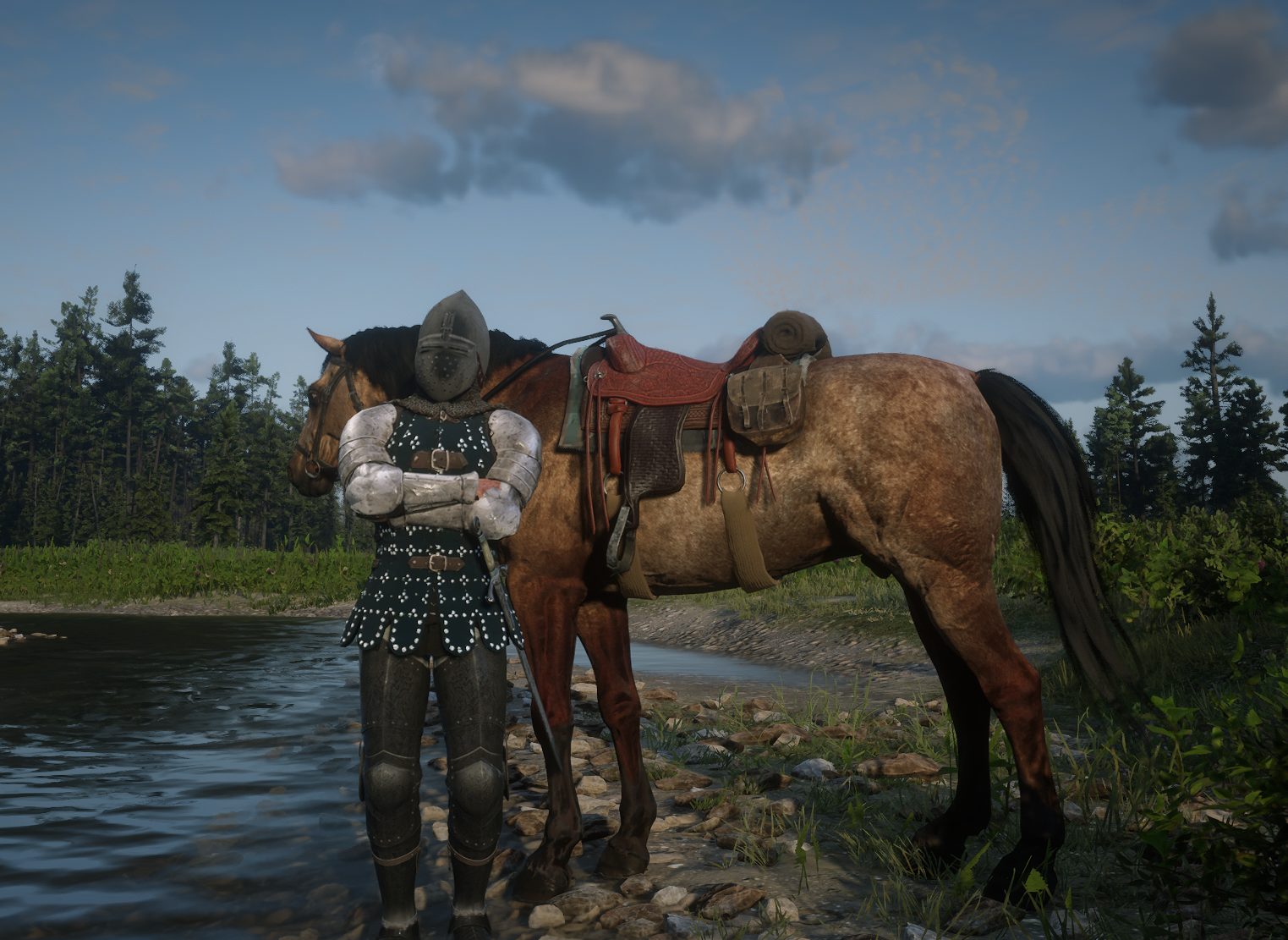
Medieval Knight Armor Set
⚔️Medieval Knight Armor Set | Native Cloth (.ydd) + Equip Script
Bring authentic, battle-ready medieval flair to your server without sacrificing realism or performance.
Most armor packs on the market rely on rigid props attached to bones that float, clip, and look broken during animations. This set is different: every piece is built and rigged as real, native RedM clothing (.ydd), moving seamlessly with your ped just like base game apparel.
🛡️ What’s Included?
-
Full 3-Piece Modular Set:
- 🪖 Visored Knight Helm (Native Hat/Helmet variation)
- 🛡️ Full Plate Chest & Pauldrons (Native Torso variation)
- ⚔️ Plated Leg Guards & Greaves (Native Pants/Legs variation)
-
Plug & Play Equip Script Included:
- Equip or remove the full set (or individual pieces) effortlessly.
- Easy integration: Use via usable items, chat command, or bind to your server's clothing/action wheel.
- No tedious wardrobe digging or manual database setup needed.
✨ Key Features & Highlights
-
100% Native Clothing (
.ydd): Zero prop-attachment glitches. Bends, stretches, and flows naturally with running, combat, and horse-riding animations. - Mix & Match: Wear the complete suit of armor for tournament and war RP, or combine the helmet/chest with standard frontier clothes.
- Optimized & Streaming-Friendly: Crisp, authentic metallic textures with zero unnecessary polygon bloat to keep player FPS smooth.
- Multi-Framework Ready: Script includes clean config presets for VORP-Core, RSG, and standalone setups.
📦 Package Contents
-
stream/folder containing all.yddand texture files (ready to drop into your resources). - Lightweight equip/toggle script with clean
config.lua. - Step-by-step installation readme.
🛒 Get It Now** !**
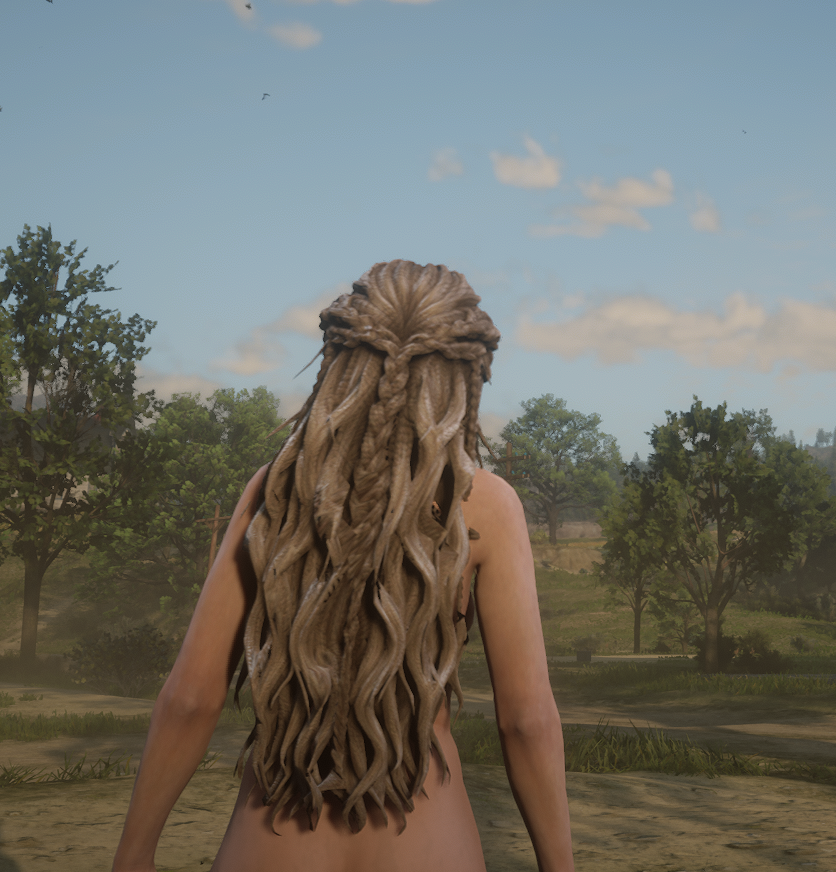
goose_blonde_hairpack
Blonde Hair Pack for RedM. This works like Vanilla Hair

Armor Pack Vol.1
A variation of many armors for medieval servers.
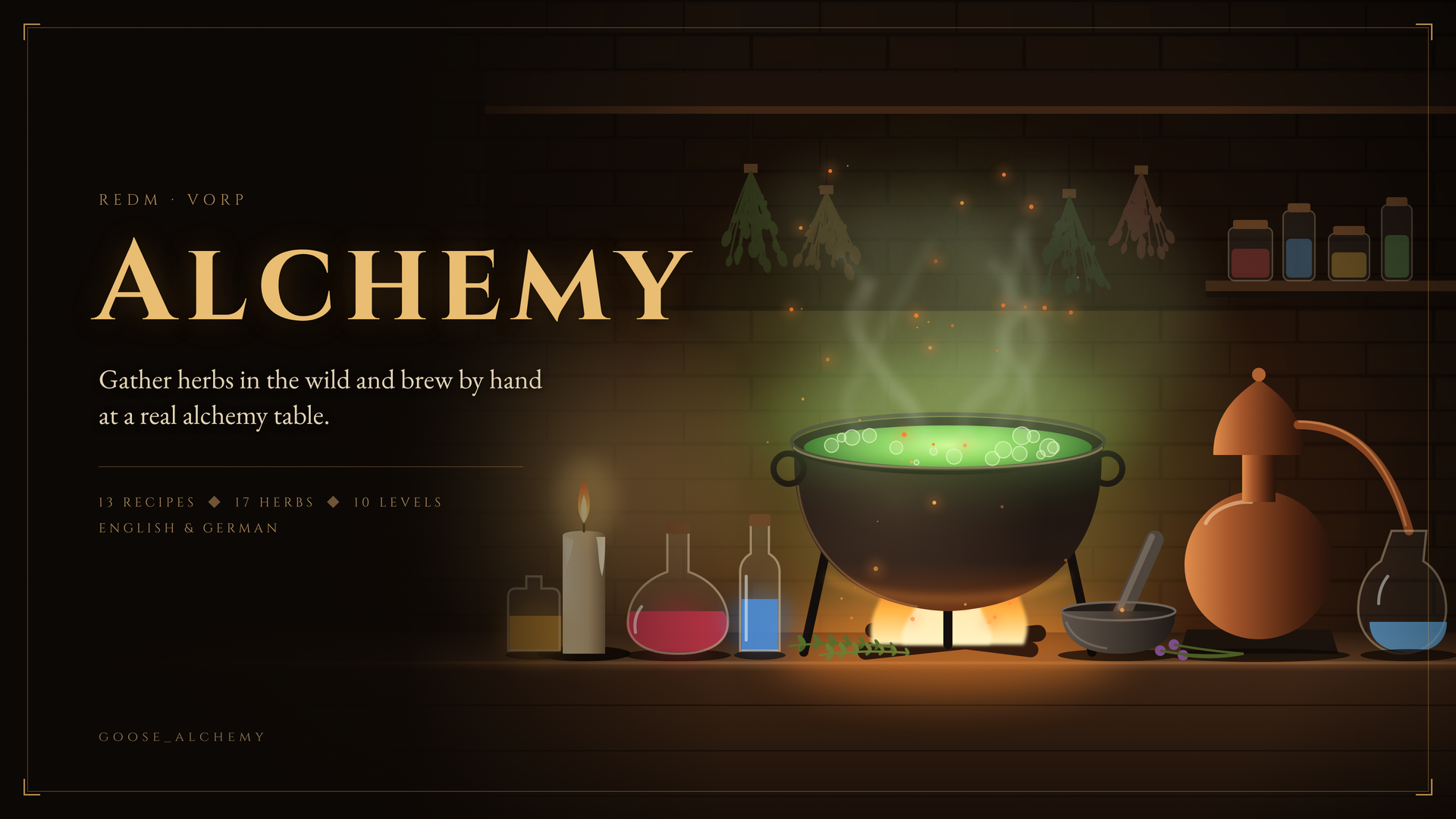
Goose_Alchemy
# goose_alchemy: hands-on alchemy for VORP
**Short description (one line):**
Gather herbs in the wild and brew potions and salves by hand at a real alchemy table. No menus, no progress bars.
---
Alchemy that is played, not clicked. At the alchemy table the cauldron, mortar and pestle, ladle, bellows, still, candle, bottles and the herbs for your recipe stand as real objects in the game world. You look around in first person, pick up herbs, grind them, throw them into the cauldron, stoke the fire, let it boil and bottle the result. The only screen is the recipe book lying on the table.
How well you follow the recipe decides the quality of what you brew.
## Brewing at the table
- Real props on the table, arranged automatically by their measured size, so nothing overlaps
- First person view with free mouse look; the object you aim at gets a golden frame, its name, its state ("Mortar · 3× Belladonna, coarsely ground") and the keys that work right now
- Grind herbs by moving the mouse in circles, stir the cauldron with the ladle, stoke the fire with the bellows
- A candle measures the boiling time, a still for distilling, vials and jars for bottling
- The brew shows its state: it steams when warm, bubbles in its own colour in the boiling range and boils over when the fire is too hot
- Thermometer at the screen edge with the boiling range of the recipe, a trend arrow and a short tip what to do next
- Other players see your character working at the table
## Quality
Every action is compared with the next step of the recipe. Skipped steps, wrong ingredients, herbs not ground or a brew that boils over cost points. The score decides the quality: **Weak, Normal, Strong or Masterful**.
- Quality changes strength and duration of the effect (×0.6 up to ×1.6) and the yield
- Quality is stored on the item, so items of the same quality stack
- Below the minimum score the brew is ruined and the ingredients are lost
- The result appears as a parchment banner with quality, XP and level up
## 13 recipes in 4 categories
| Recipe | Effect |
|---|---|
| Healing Salve | restores 25 % health |
| Marigold Salve | restores 35 % health, faster healing for 90 s |
| Burn Salve | restores 20 % health and stamina |
| Marigold Infusion | restores 50 % health |
| Panacea | golden health core for 5 min |
| Eagle Eye Tonic | golden Dead Eye core and herb sight |
| Digestive Stamina Draught | golden stamina core for 5 min |
| Bulwark Potion | 30 % less damage for 4 min |
| Sweet Pain | weapon poison, +10 damage per hit |
| King's Death | weapon poison, +50 damage per hit |
| Hartshorn Salt | revives an unconscious player nearby |
| Sleeping Draught | puts a player nearby to sleep |
| Veil Potion | half transparent, animals and NPCs ignore you |
All values above are the Normal quality. Recipes are plain Lua tables with steps like `base`, `add`, `boil`, `stir`, `distill` and `bottle`, so you can change them or write your own. Available effects: healing, regeneration, stamina, golden cores, damage reduction, weapon poison (handled by the server, works on players), revive, sleep, invisibility, herb sight, antidote, or your own client event.
## Recipe book
- Tabs per category, recipes locked until the required level
- Ingredients shown in slots with your inventory images and how many you carry
- Preparation as numbered steps and a brewing card with boiling range, brewing time, vessel, yield, XP and effect
- Open it again while brewing: finished steps are ticked, the current one is marked
- All fonts are included, nothing is loaded from the internet
## Herb gathering
- 17 herbs and mushrooms grow in herb zones that admins create in game with one command (`/herbzone 80 common`), saved in the database, no restart needed
- Fixed spots for rare herbs (`/herbspot moonflower`)
- Every player has their own plants: nobody picks anything away from someone else
- Herbs glitter in eagle eye like story clues, only the ones you know at your level
- Rare herbs (Amanita, Belladonna, Moonflower) and occasional lucky finds
- Plants only grow on the real map ground: not in towns, buildings, on roofs, roads, props or ymap platforms. Custom ymaps can be excluded by floor material or with blocked areas
- Limits per hour for picking and for gathering XP, so brewing stays the main way to level up
## Levels
Alchemy levels 1 to 10 per character. XP comes from brewing (by recipe and quality) and from gathering. Higher levels unlock recipes and teach you more herbs.
## Setup
- Any number of alchemy tables: let the script spawn a table, or use a table that is already on your map
- Automatic layout, or move every object by hand in game with `/alchemy_layout` and paste the result into the config
- Job restriction per table or for all tables
- Every model, key, camera setting, particle and timing is in the config
- All objects at the table are created locally, no networked entities
## Languages
English and German are included. All texts are in one language file: notifications, recipe book, recipe names, ingredient names, quality tiers. Copy `locales/en.lua` to add your own language. Item SQL files are included in English and German.
## Security
- The server checks job, distance, level, ingredients and inventory space, and takes the ingredients before brewing starts
- Every brew has a token; results without it are ignored
- A brew that finishes faster than the recipe allows counts as ruined and is logged
- Herb picking is checked on the server: owner of the plant, distance, level, cooldown, hourly limit and animation time
## Open files
`config.lua`, `recipes.lua`, `herbs.lua` and the language files in `locales/` are open and editable. The remaining Lua files are protected by Cfx asset escrow.
## Requirements
- VORP Core
- vorp_inventory
- oxmysql
- OneSync (recommended, used for the server side distance checks)
Item images are not included. The recipe book uses the images from `vorp_inventory/html/img/items/`.
## Release info